Integrating Supertab with Wordpress
Prerequisites
- An installed wordpress plugin that can help you manage code snippets. We suggest WPCode.
- Your Supertab.js code snippet as found in the Business Portal (See Step 6)
Installation
- Login to your Wordpress installation
- Click on "Code Snippets"
- Click on "Add New"
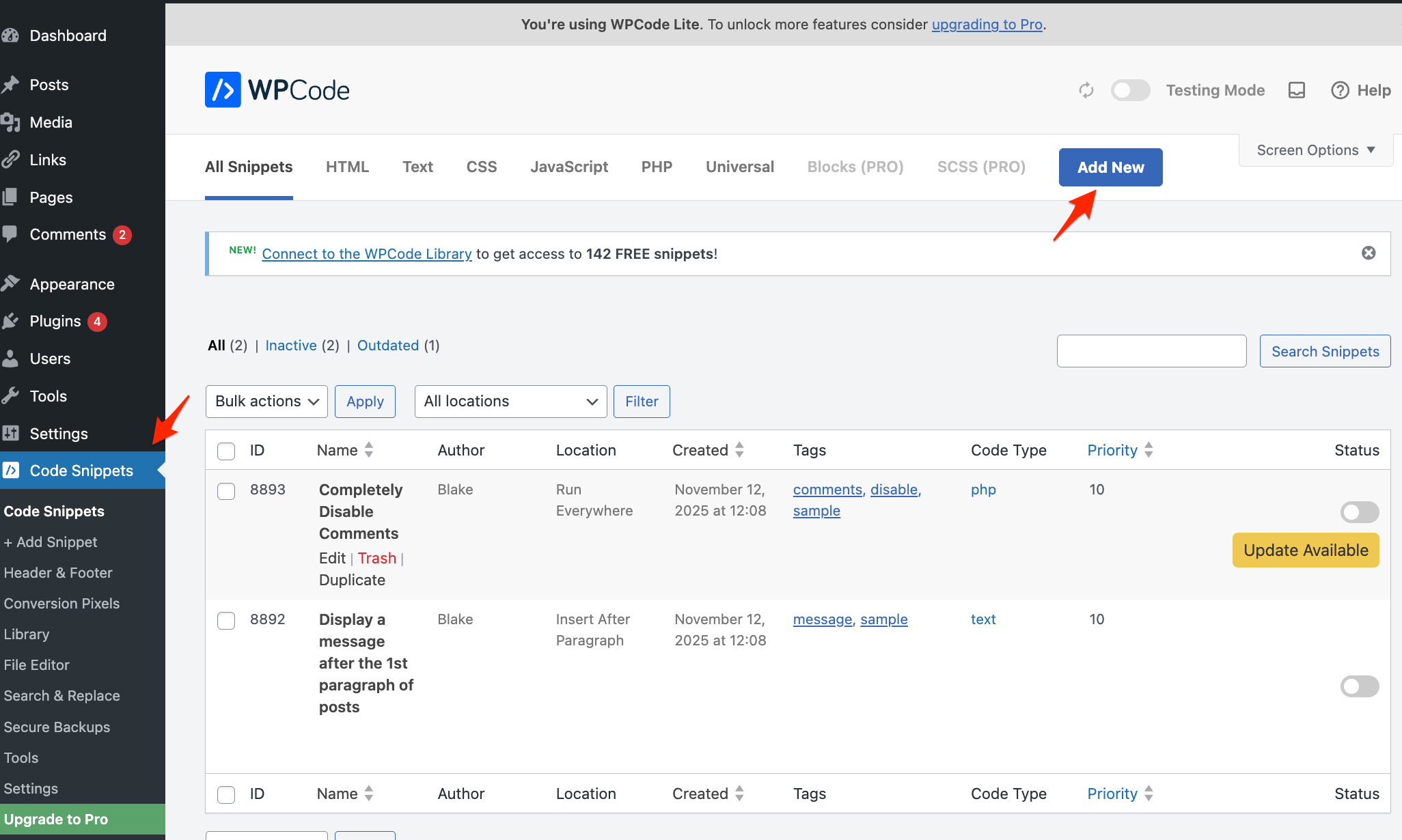
- Click on "Add your custom code..."

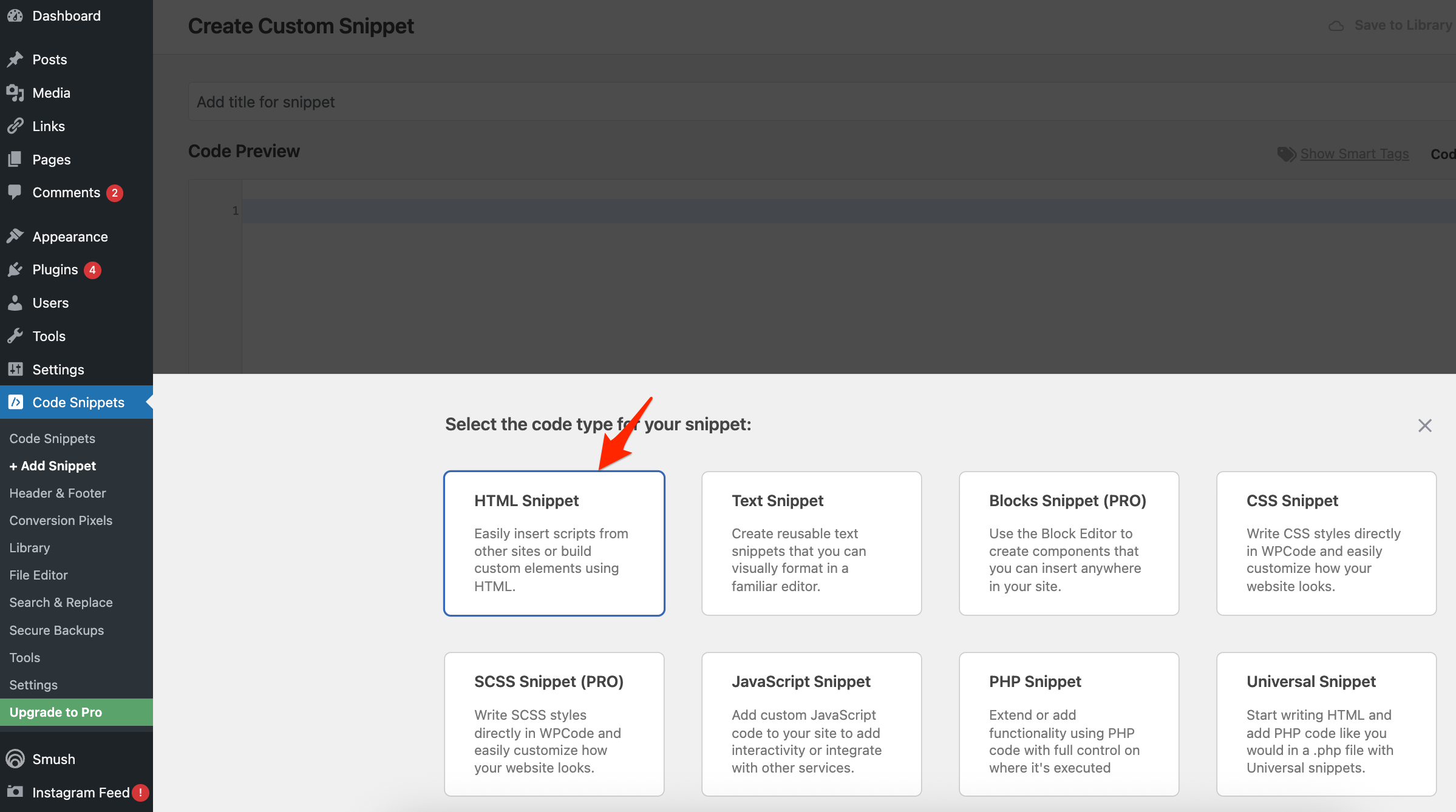
- Select "HTML Snippet". Note: Do not select JavasScript Snippet as it will not allow you to include the
<script type="module"> tag.
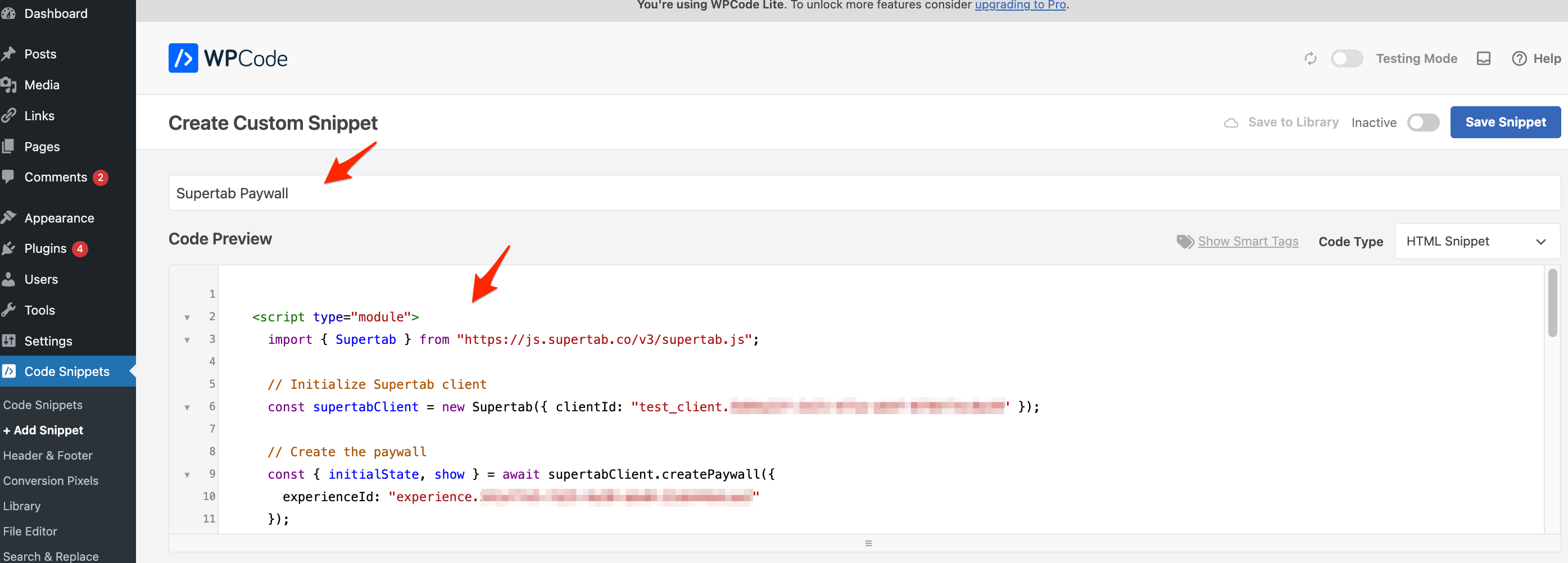
- Enter a snippet title and copy/paste your
Supertab.js code snippet.
- Scroll down to Smart Conditional Logic and add a rule where the paywall will not appear on your homepage.
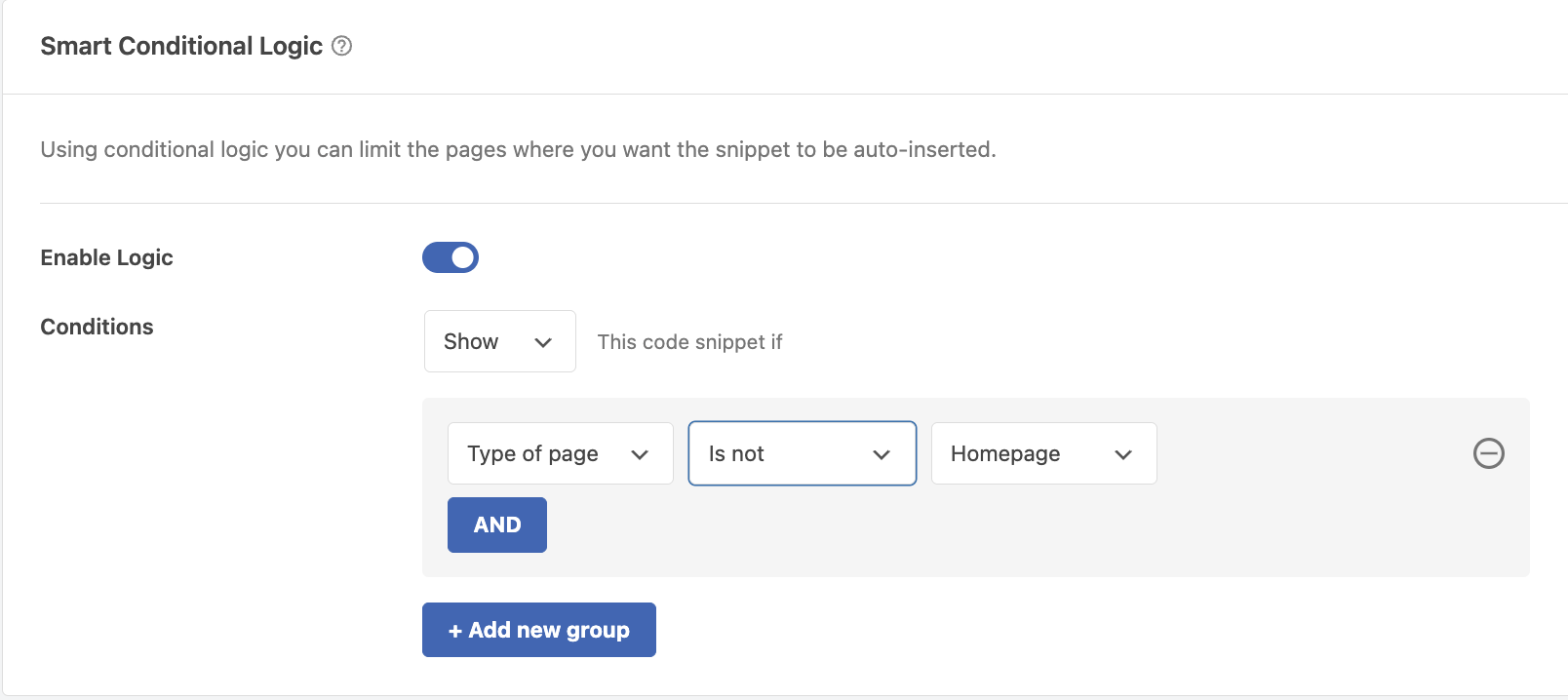
- Optional. Add any other additional rules if you want the paywall to only appear on certain post categories or pages.
- Scroll back to the top and click "Save Snippet" or "Update".
- Go back to the Snippet page and activate your snippet.

Did this answer your question?
Thanks for the feedback
There was a problem submitting your feedback. Please try again later.


