Can I Reuse Offerings In Multiple Experiences?
Yes! You do not need to create a different offering for each experience. For example: Let's say you would like to make the same two offerings available:
- A 1 day time pass for $0.50
- A 1 week time pass for $1.00
With two experiences, each with two different call to action text. This can be used to A/B test the paywall, for example.
- Experience A
- Experience B
Create Your Offerings
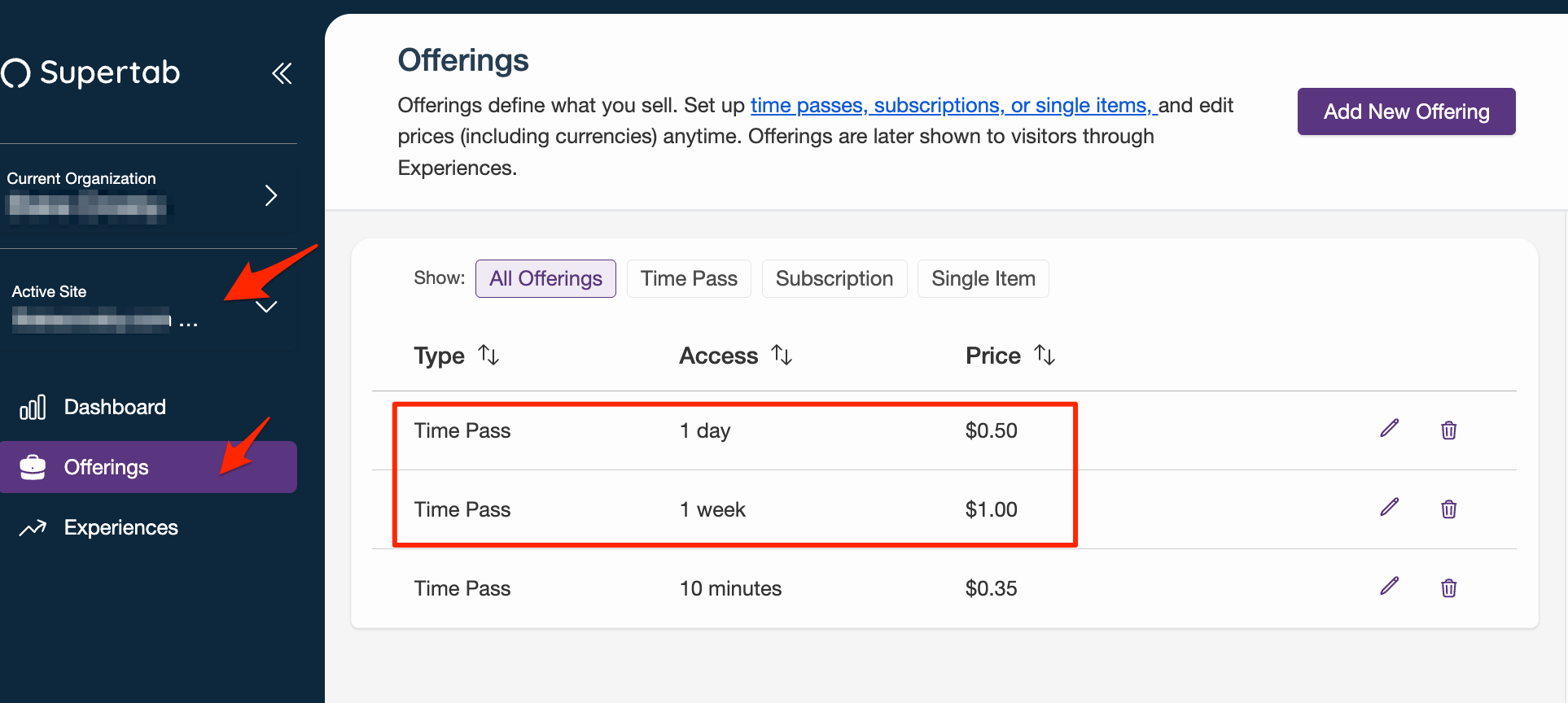
- Login to the Business Portal.
- Ensure the correct site is selected and click on "Offerings"
- Set up the two (or more offerings) that you want to use for the two experiences.
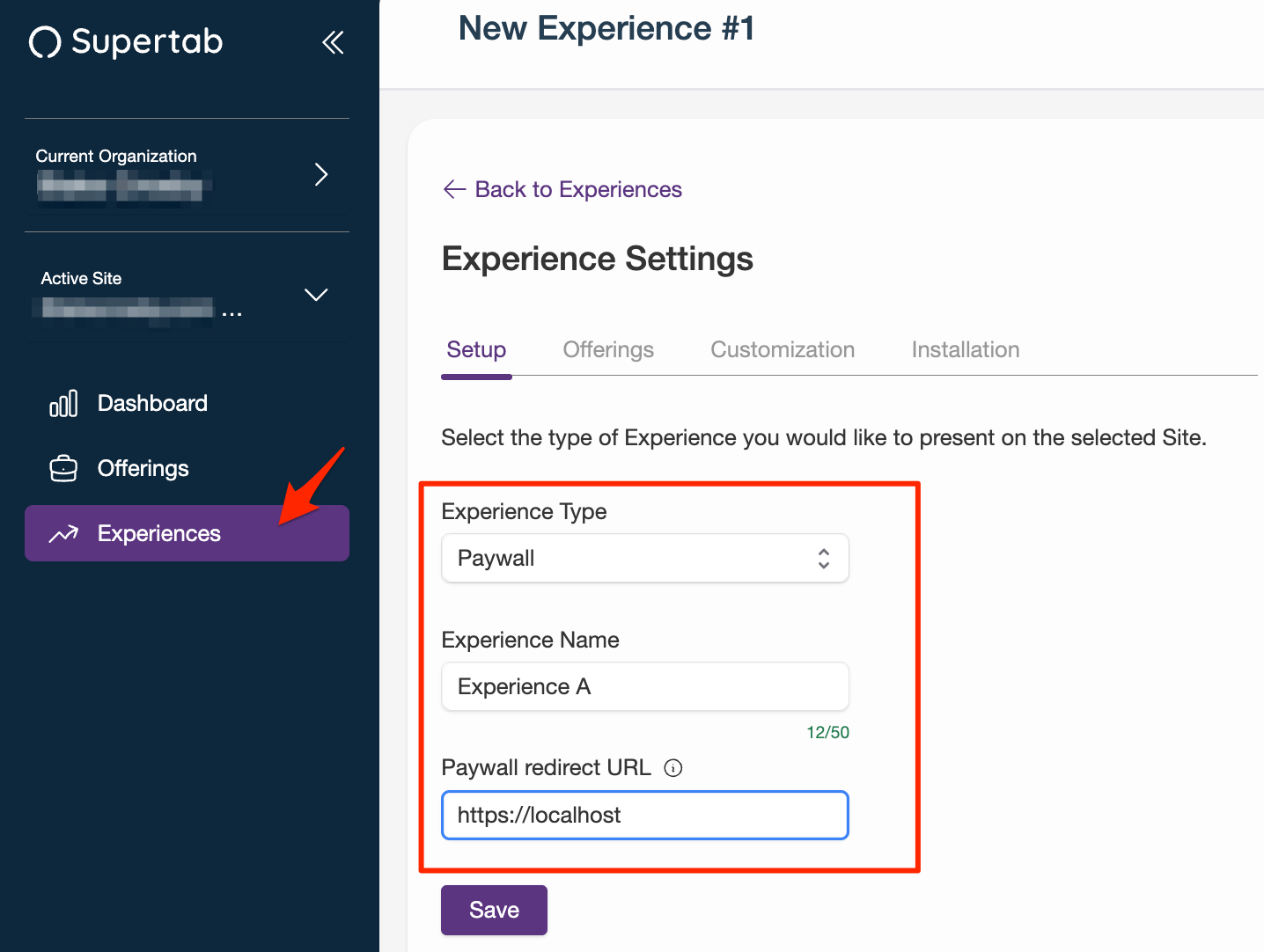
- Click on Experiences
- Click on "Add Experience".
- Select "Paywall" for the Experience Type, Enter a Name and a URL to redirect the user to if they close the paywall.
- Click Save
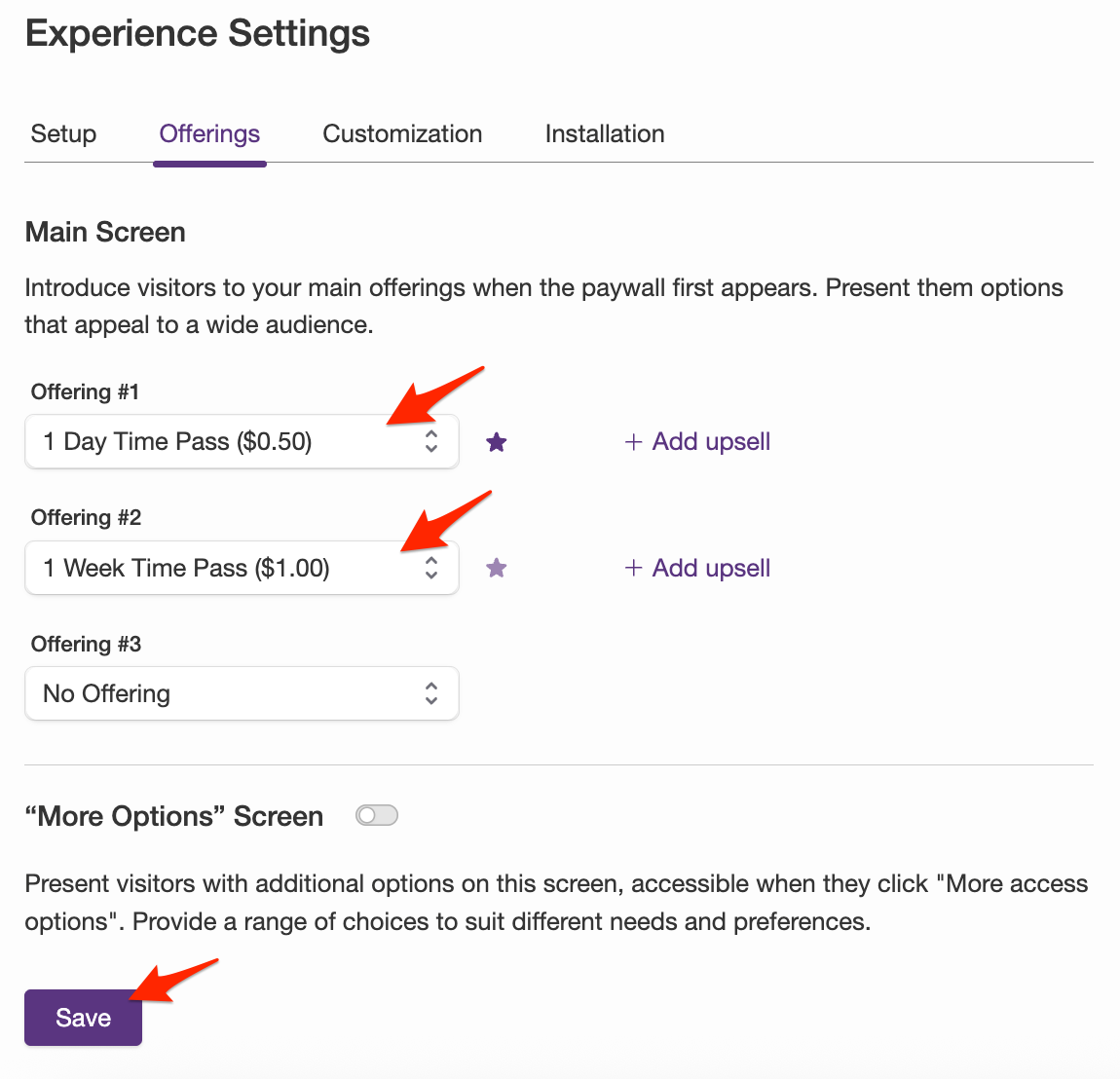
- Select the appropriate offerings in slots #1 and #2, click save.
- Customize the paywall as required (colours, call to action text). Click Save.
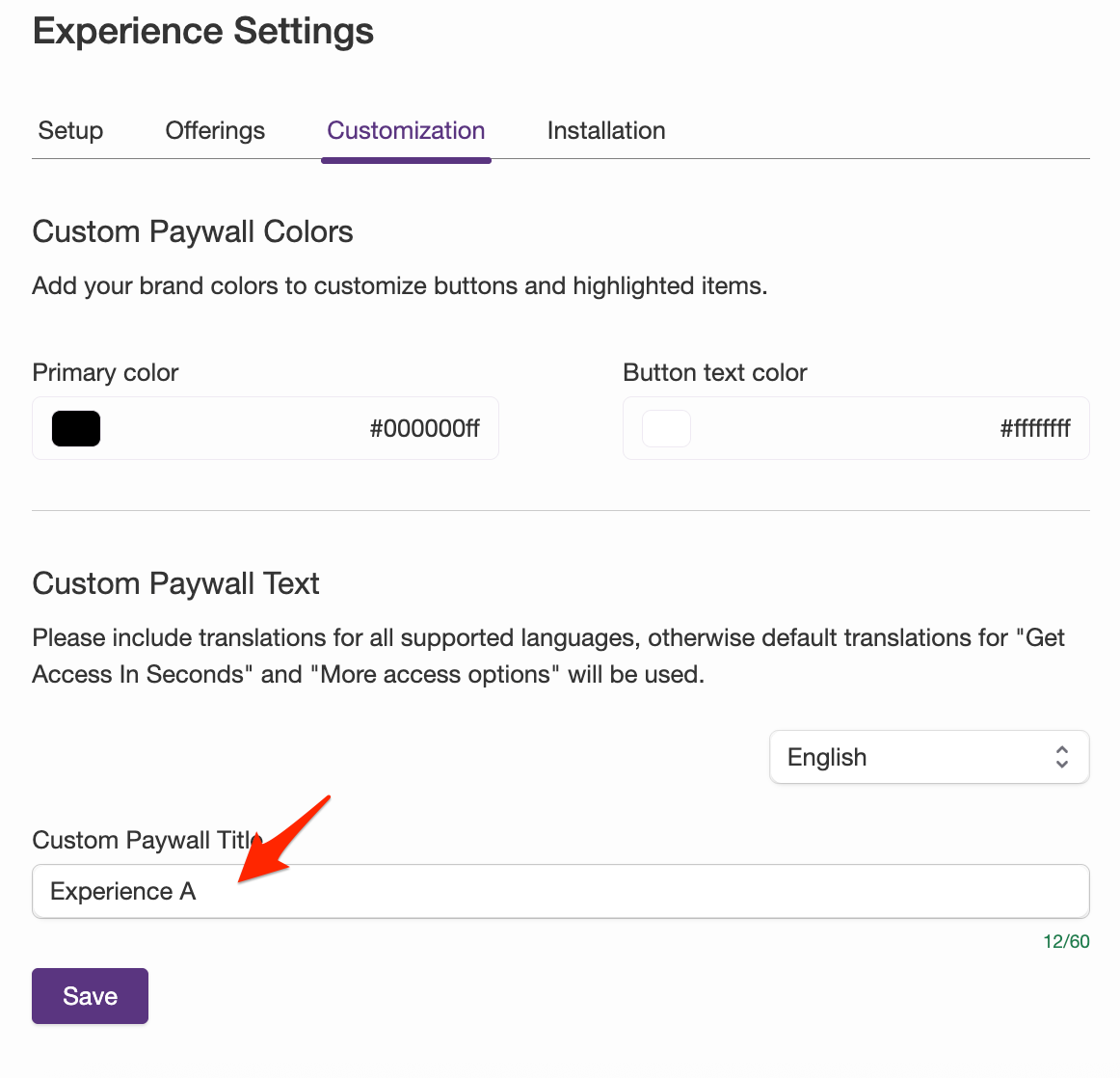
- Repeat the above steps for "Experience B", Be sure to use the same offerings as before.
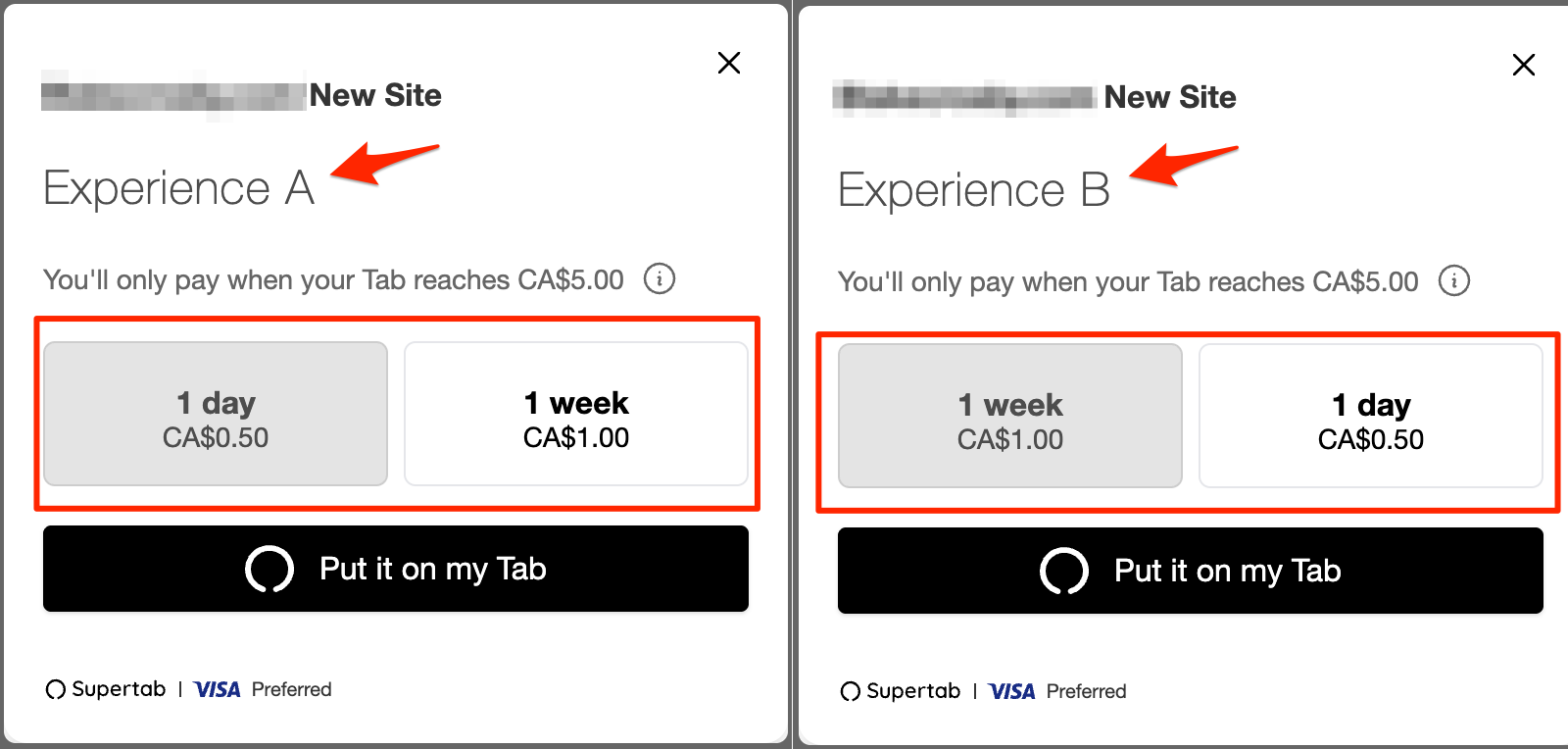
In the example below both experiences are using the same offerings with the following changes:
- Different call to action text ("Experience A" vs. "Experience B")
- Order in which the (same) offerings appear in the paywall are reversed.