
What are webhooks and how do they work?
Webhooks are a way for Supertab to automatically send real-time updates to your system whenever certain events occur without needing to poll our API.
Think of a webhook as a “push notification” for your backend. When an event happens in Supertab (for example, a purchase is made), Supertab immediately sends a small, structured data packet (in JSON format) to a URL you specify.
Your server receives that data and can take any action you want in response, such as:
- Updating a user’s purchase record in your backend system.
- Unlocking content for a paying user. ie: updating entitlement data in your existing paywall.
- Send a marketing or "welcome" email on a user's first purchse.
Supertab webooks are powered by Svix, a third party webhook as a service provider.
For a full list of which Supertab events fire a webhook, please see our Webhook Catalogue. More information can also be found in our official documentation.
Configuring a Webhook
- Log into the Business Portal
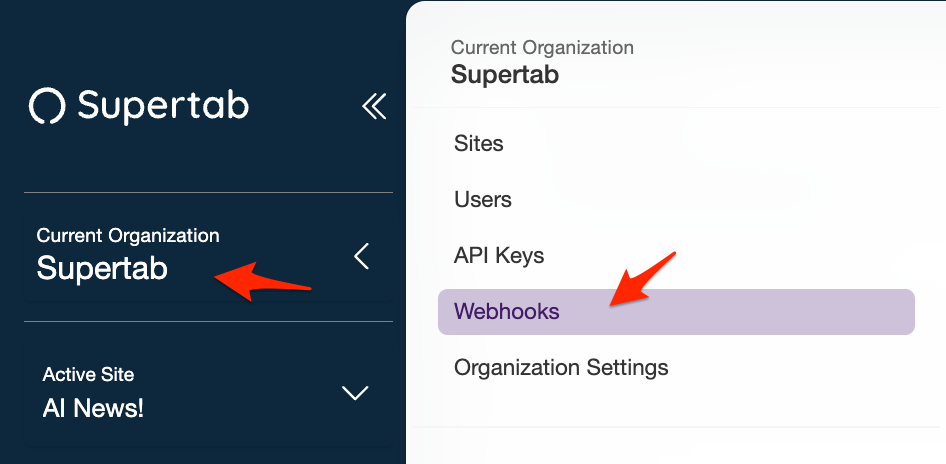
- Click on your current organization, then select "Webhooks".
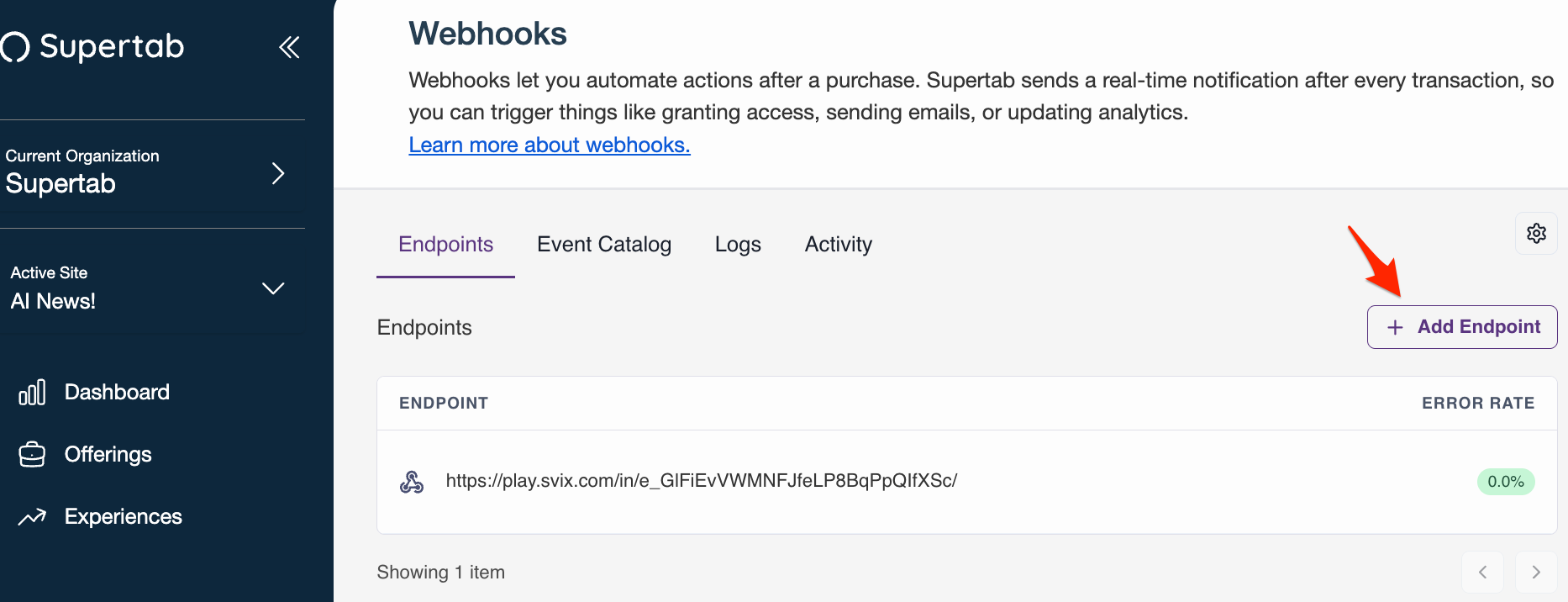
- Click on "Add endpoint"
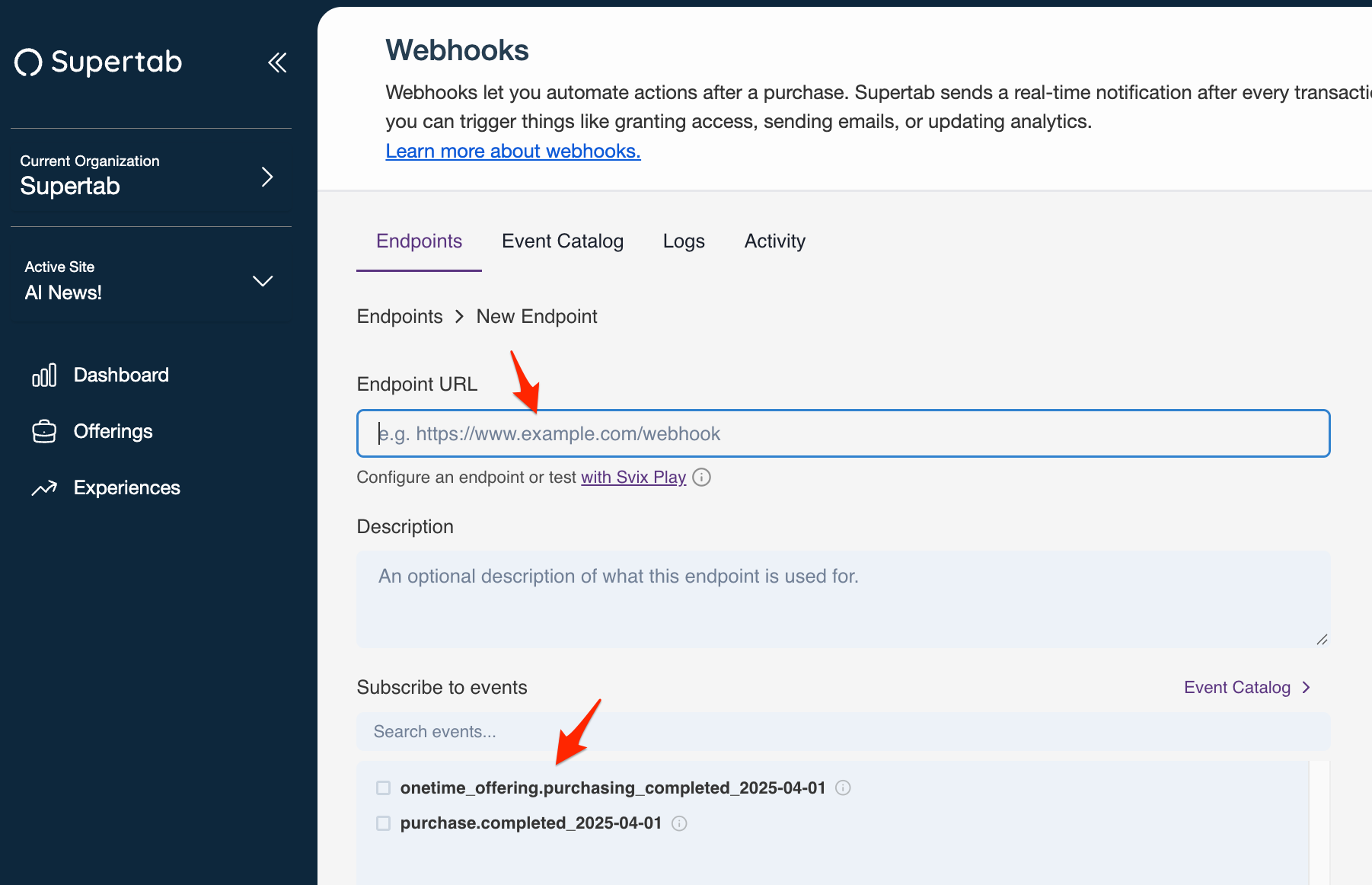
- Enter in your endpoint url, and select an event you want to subscribe to.
- Click "Create".
Now every time an event happens on your site with Supertab, all relevant data for that event will be sent to your webhook endpoint.
If you require additional help or require more information about how webhooks work, please email support@supertab.co