
How to update payment and business info
- Login to the Business Portal
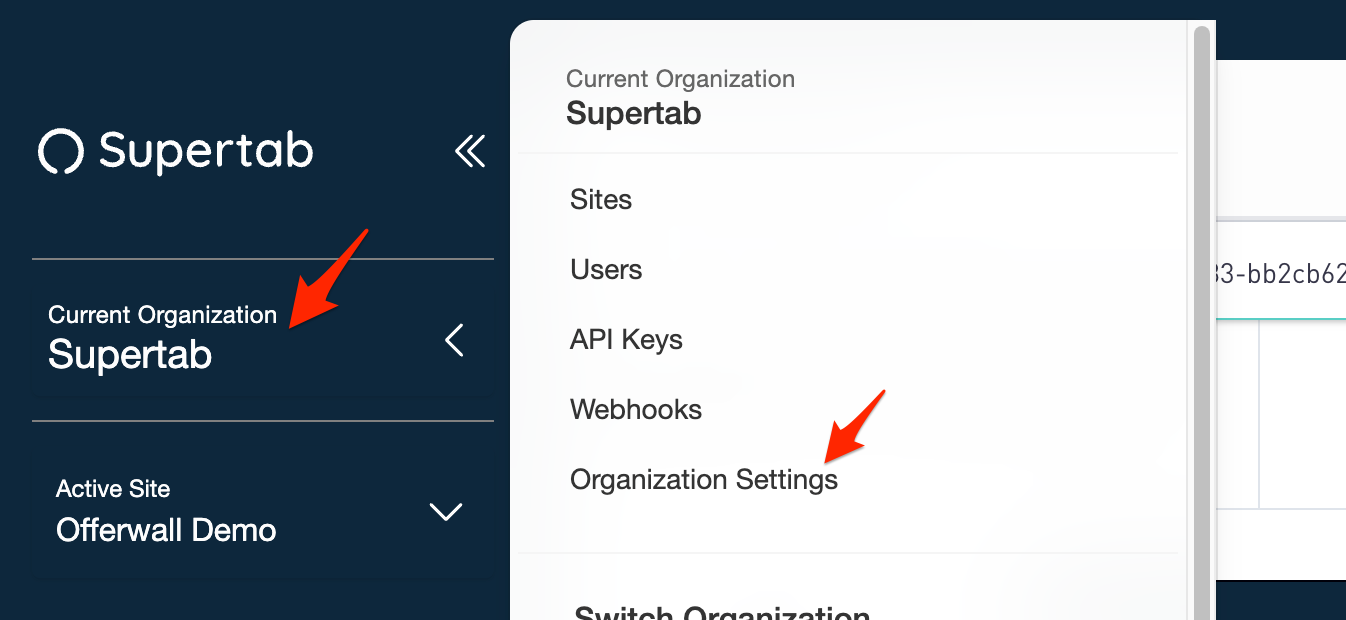
- Click on your organization name and select "Organization Settings"
- You will now be presented with your current Organization name and other information, to make a change click on the "Go To Stripe" button.
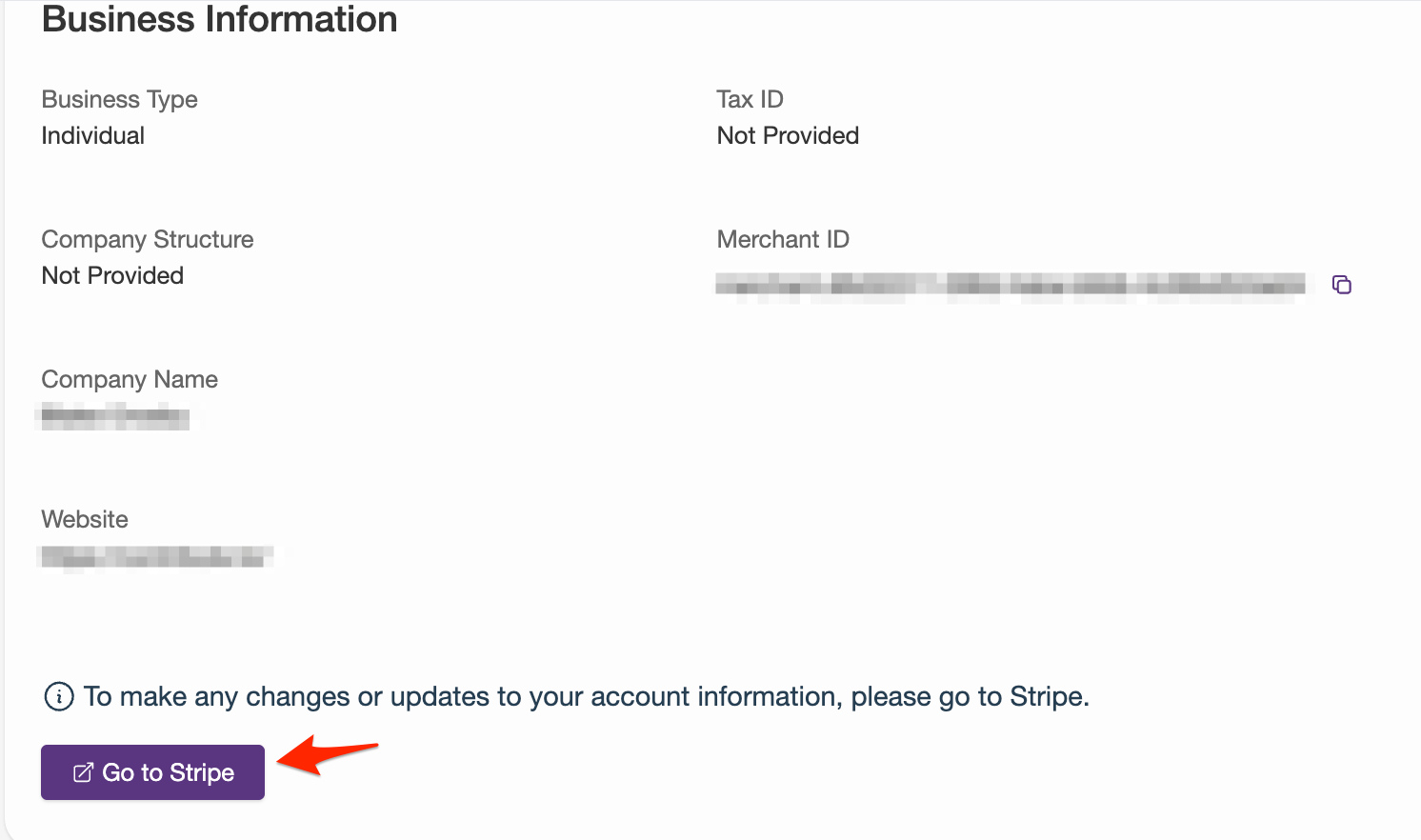
Once redirected to stripe you will be able to update, add, or delete details about your Organization.